Get Your SmartLab
Up & Running
Get Your SmartLab Up & Running
Discover how long and what it takes to go from approval to opening day — no matter which SmartLab environment you’re considering.
3
Environment Types
5
Integrated Learning
Components
16
Weeks to Launch
Ongoing
Partnership and Support
Ecosystems built around five essential elements.
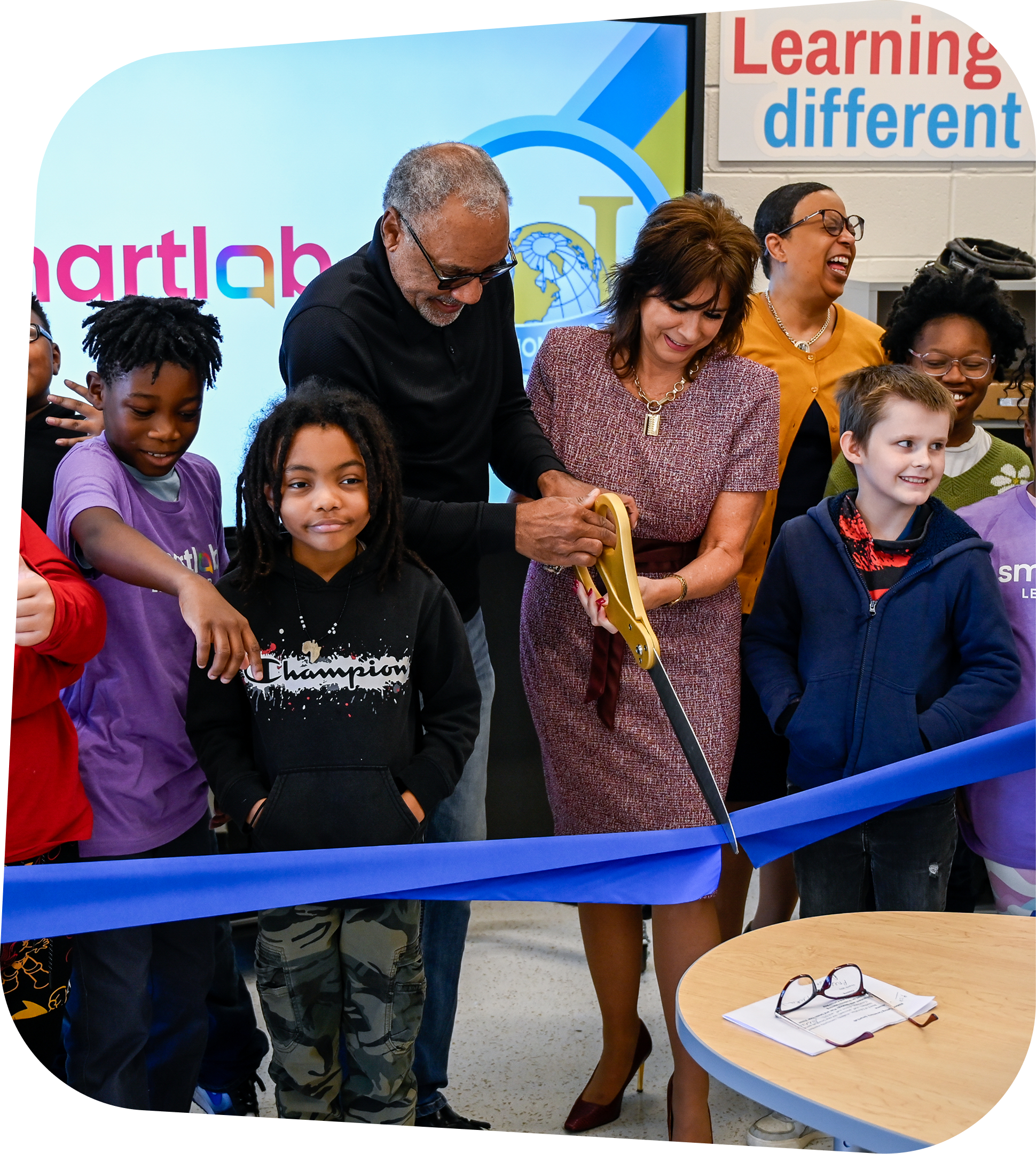
SmartLabs are built around five essential elements that work together to create a student-centered learning system — one that grows with every learner, from day one through the years ahead.
- Career-connected, project-based learning curriculum
- Hands-on tools and equipment
- Customized STEM learning environments
- Robust professional learning for educators
- Ongoing support and partnership
IMPLEMENTATION TIMELINE BY SMARTLAB TYPE
Choose Your Preferred Learning Environment
Implementation timelines differ by SmartLab type. Select HQ, FLEX, or Studio below for details about the setup process and what’s involved in each step along the way.
SmartLab HQ
A High Tech, Dedicated Space for Student Innovation, Collaboration, and Creativity.
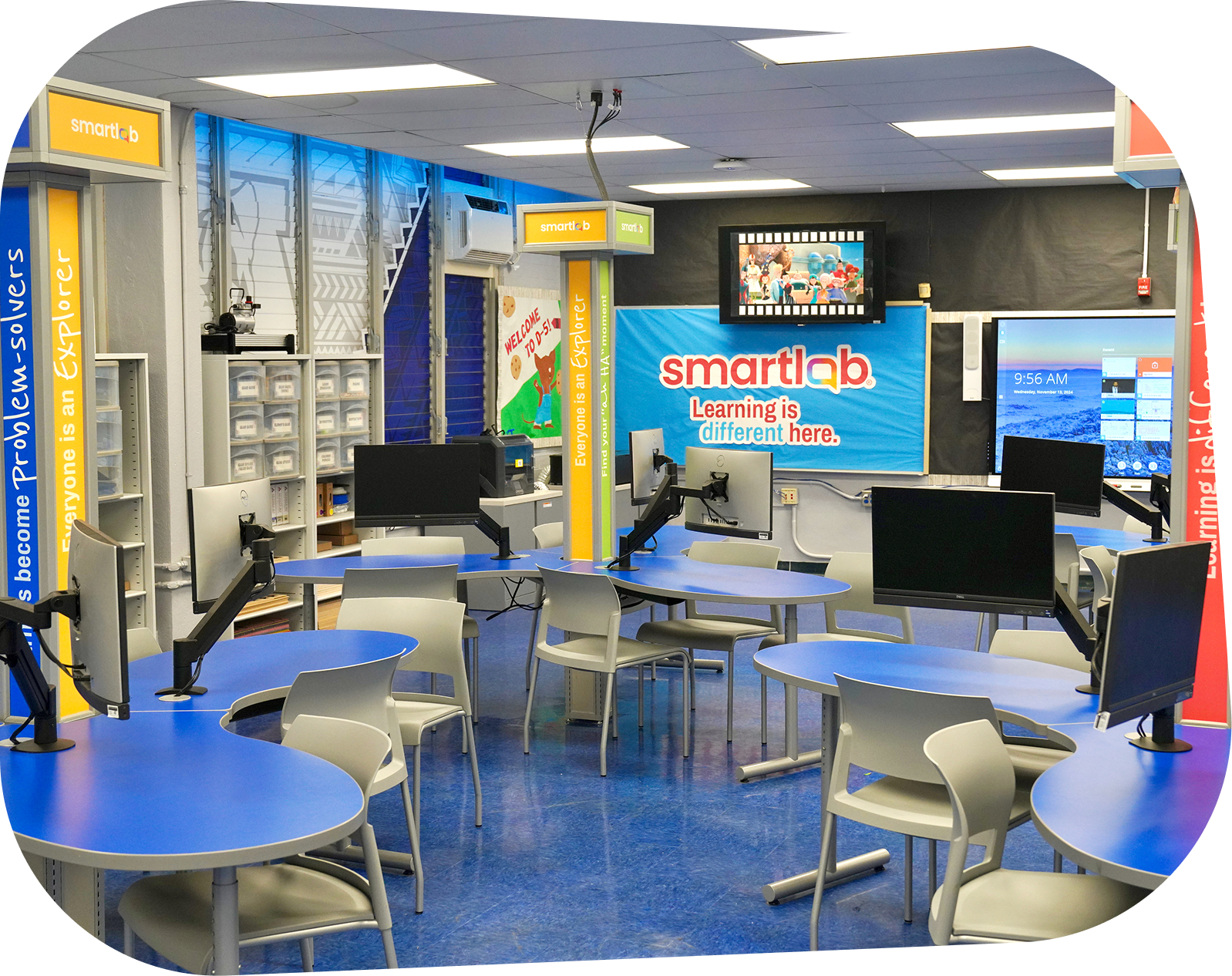
SmartLab HQ transforms any school into a command center for hands-on STEM learning. With a dedicated space tailored to inspire awe and curiosity, SmartLab HQ brings the integrated SmartLab ecosystem together in one state-of-the-art learning environment, connecting curriculum, technology, hands-on learning tools, and educator support to create a cohesive student experience. Designed to deliver the Explorer (K-5) and Pathfinder (6-8) curriculum experiences, SmartLab HQ empowers students to dive deep into real-world challenges, build meaningful connections across disciplines, and develop the skills they need to succeed in future careers.
Key Features of SmartLab HQ:
- Teacher Empowerment
- Immersive STEM Environment
- Spark (K-12), Explorer (K-5) & Pathfinder (6-8) Learning Experiences
- Comprehensive Room Design
- White-Glove Installation
- 1-Year SmartLab Care Protection Plan
- A Community Showcase
You’ll meet with your Customer Success Manager (CSM) and Implementation Manager to review your SmartLab project and prepare for a successful installation. During this meeting, we’ll review your installation dates and timeline, the SmartLab Ecosystem and products purchased, and your SmartLab’s plan-view drawing created by our architect. We’ll also confirm installation points of contact, discuss any onsite access or logistical considerations, answer questions, and review technical requirements, including computers and SIS/LMS integration with LearningHub.
If you purchased computers through SmartLab, they will arrive with the required SmartLab software pre-installed and ready for setup. If you are providing your own computers, we’ll provide an imaging guide for your IT professional with instructions for installing the required software.
As your installation date approaches, our team will check in with you to make sure your SmartLab room is ready for installation. We’ll confirm that electrical and internet connections are working, construction is complete, and the room is ready for our installation team. We’ll also request photos of the completed space so we can identify any potential concerns in advance and ensure our installers are prepared.
Your dedicated CSM will work with you to coordinate Foundations training for your facilitators and make sure they are enrolled and prepared for their training experience.
Our installation team will arrive at approximately 8:00 a.m. on your scheduled installation date to meet the delivery truck, unload your equipment, and begin setting up your SmartLab. For safety, we ask that students, teachers, and other staff remain out of
the installation area while our team is working. Depending on the size and complexity of your SmartLab, installation typically takes 1–4 days. Once installation is complete, our team will review the equipment and products against the project list to ensure everything has been received and accounted for.
Once your SmartLab is installed, your facilitators will participate in Foundations Professional Learning. Training may be provided onsite or virtually, depending on the training included with your purchase.
Our team is here to support you beyond installation. If you have questions or run into an issue with your SmartLab, our Support team is available Monday–Friday, 5:00 a.m.–4:00 p.m. MST, by phone and email. You’ll always have access to real people who can help troubleshoot and answer questions as you get your SmartLab up and running.
SmartLab FLEX
Flexible STEM learning that adapts to any space and empowers students, teachers, and schools
SmartLab FLEX is designed for schools seeking high-quality STEM learning through flexible delivery, whether implemented in a dedicated space or integrated into multiple classrooms, existing makerspaces, or other learning environments. SmartLab FLEX offers schools the opportunity to bring the transformative Explorer (K-5) and Pathfinder (6-8) learning experiences to life—all within an adaptable, scalable model that fits the unique needs of each school.
Key Features of SmartLab FLEX
Immersive STEM Environment:
- Flexible Learning Environment
- No dedicated space required
- Explorer & Pathfinder Learning Experiences
- Scalable for Any School
- No Installation Required
- Teacher Empowerment
You’ll meet with your Customer Success Manager (CSM) and Implementation Manager to review your Flex project and prepare for a successful installation. During this meeting, we’ll review your installation dates and timeline, the SmartLab Ecosystem and products purchased, and your Flex plan-view drawing created by our architect. We’ll also confirm installation points of contact, discuss any onsite access or logistical
considerations, answer questions, and review technical requirements, including computers and SIS/LMS integration with LearningHub.
If you purchased tablets through SmartLab, they will arrive with the required SmartLab apps pre-installed and ready for setup. Tablets are managed through mobile device management (MDM) software to help ensure they are configured appropriately for student use and restricted to the intended SmartLab applications. If you are providing your own tablets, we’ll provide an imaging guide for your IT professional with instructions for installing the required apps.
As your installation date approaches, our team will check in with you to make sure your Flex space is ready for installation. We’ll confirm that electrical and internet connections are working, construction is complete, and the room is ready for our installation team. We’ll also request photos of the completed space so we can identify any potential concerns in advance and ensure our installers are fully prepared.
Your dedicated CSM will work with you to coordinate Foundations training for your facilitators and make sure they are enrolled and prepared for their training experience.
Our installation team will arrive at approximately 8:00 a.m. on your scheduled installation date to meet the delivery truck, unload your equipment, and begin setting up your Flex space. For safety, we ask that students, teachers, and other staff remain out of the installation area while our team is working. Depending on the size and complexity of your Flex setup, installation typically takes 1–2 days. Once installation is complete,
our team will review the equipment and products against the project list to ensure everything has been received and accounted for.
Once your Flex installation is complete, your facilitator will participate in Foundations Professional Learning. Training may be provided onsite or virtually, depending on the training included with your purchase.
Our team is here to support you beyond installation and training. If you have questions or run into an issue with your Flex setup, our Support team is available Monday–Friday, 5:00 a.m.–4:00 p.m. MST, by phone and email. You’ll always have access to real people who can help troubleshoot and answer questions as you get your Flex environment up and running.
SmartLab Studio
Real-world media learning that builds creativity, communication, and career-ready.
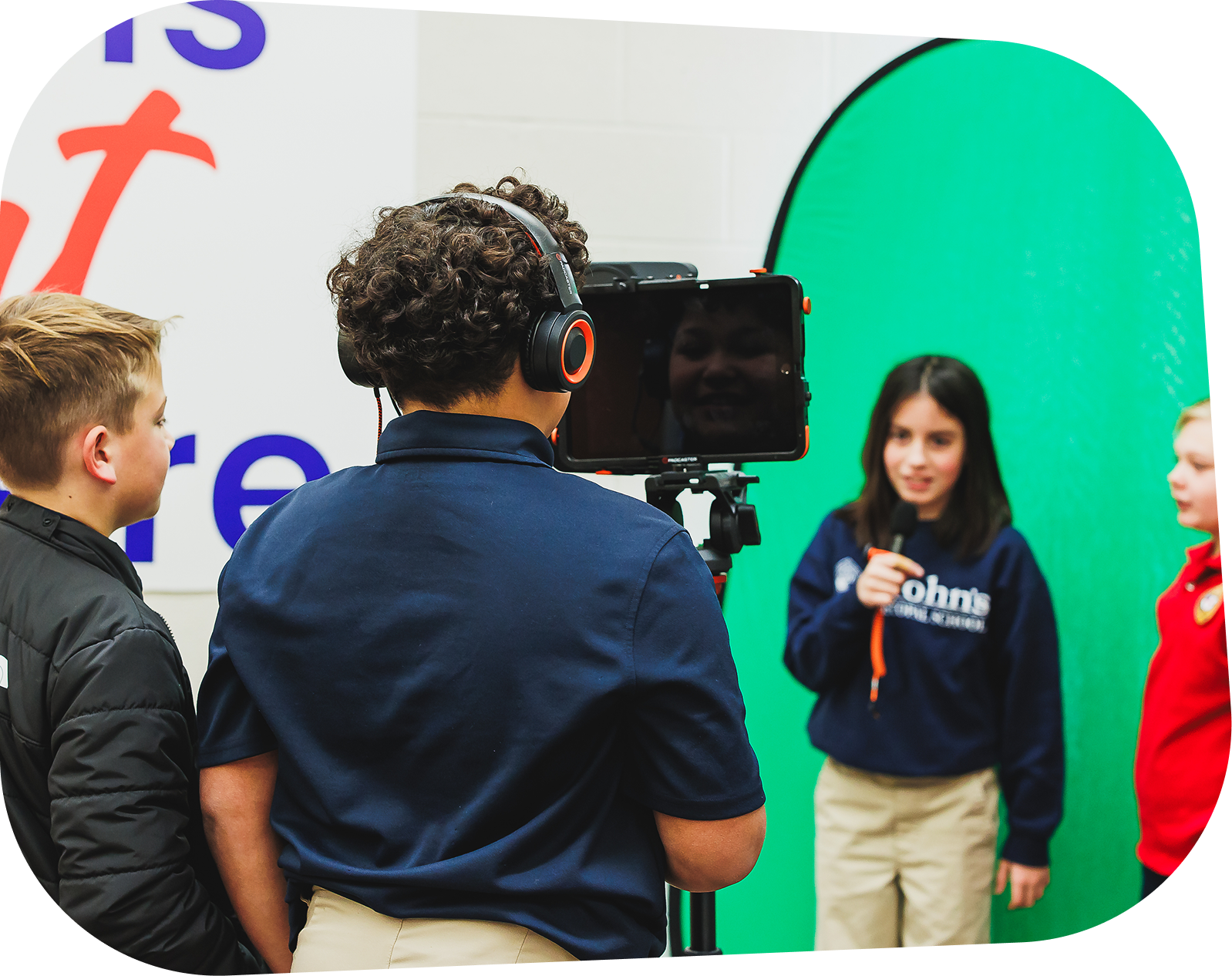
SmartLab Studio gives students in grades 6–12 hands-on access to professional-grade media tools in a flexible learning environment where they develop technical expertise, creativity, communication, collaboration, and critical thinking. Students take on authentic production roles, explore ca reers in media and technology, and bring original ideas to life through real-world projects. Whether installed in a dedicated studio or integrated into an existing space, SmartLab works with each school to plan, implement, train educators, and provide ongoing support for long-term success.
Key Features of SmartLab Studio
Professional Media Production Environment:
- Professional-grade media tools and production experiences
- Authentic broadcast and production roles
- Creativity, communication, and collaboration skill development
- Flexible installation for dedicated or existing spaces
- Educator training and ongoing support
You’ll meet with your Customer Success Manager (CSM) and Implementation Manager to review your Studio project and prepare for a successful installation. During this meeting, we’ll review your installation dates and timeline, the SmartLab Ecosystem and products purchased, and your Studio’s plan-view drawing created by our architect. We’ll also confirm installation points of contact, discuss any onsite access or logistical
considerations, answer questions, and review technical requirements, including computers and SIS/LMS integration with LearningHub.
Your Studio includes a pre-configured computer with the required SmartLab software already installed, making it ready to use as part of your Studio setup.
As your installation date approaches, our team will check in with you to make sure your Studio space is ready for installation. We’ll confirm that electrical and internet connections are working, construction is complete, and the room is ready for our installer. We’ll also request photos of the completed space so we can identify any potential concerns in advance and ensure our installer is fully prepared.
Your dedicated CSM will work with you to coordinate your onsite Studio training and make sure everything is scheduled and ready for your team.
Our installer will arrive at approximately 8:00 a.m. on your scheduled installation date to meet the delivery truck, unload your equipment, and begin setting up your Studio. For safety, we ask that students, teachers, and other staff remain out of the installation area while our installer is working. Your Studio installation will take approximately two days
to complete. Once installation is complete, our installer will review the equipment and products against the project list to ensure everything has been received and accounted for.
Your school will receive two days of onsite Studio training with a dedicated Studio trainer. On the first day, your trainer will introduce your team to the Studio equipment and cover the fundamentals of using the Studio software. On the second day, your team—and students, if possible—will put those skills into practice by creating a short video project, such as a student news broadcast. You’ll learn how to record, edit, and enhance your video with visual and audio effects while gaining hands-on experience
using your Studio.
Our team is here to support you beyond installation and training. If you have questions or run into an issue with your Studio, our Support team is available Monday–Friday, 5:00 a.m.–4:00 p.m. MST, by phone and email. You’ll always have access to real people who can help troubleshoot and answer questions as you get your Studio up and running.
WE HAVE YOU COVERED
Frequently Asked Questions
Select HQ, FLEX, or Studio below for details about the setup process and what’s involved in each step along the way.
What is SmartLab HQ?
SmartLab HQ is a complete STEM learning environment designed to provide students with a dedicated space for hands-on, collaborative learning. The solution includes purpose-built furniture, technology, equipment, and learning resources to create a fully equipped STEM experience.
What is included with a SmartLab HQ?
SmartLab HQ includes the furniture, technology, equipment, and resources selected for your school’s STEM learning environment. Our team works with you to plan the space and create a cohesive, functional environment designed for student collaboration and hands-on learning.
How long does it take to install a SmartLab HQ?
A typical SmartLab HQ installation takes approximately three days. Our installation team will deliver, assemble, and set up the furniture and equipment, then review the completed installation to ensure everything is accounted for and ready for use.
What does our school need to do before installation?
Before installation, our team will work with you to make sure the space is ready. This includes confirming that construction is complete and that required electrical and internet connections are working. We’ll also request photos of the space before installation so our team can prepare and address any potential concerns in advance.
Will our staff receive training?
Yes. Your facilitators will receive Foundations Professional Learning to help them become familiar with the SmartLab ecosystem, equipment, and resources and confidently facilitate hands-on STEM learning experiences.
What support is available after installation?
Our team continues to support you after your SmartLab HQ is installed and training is complete. Our Support team is available Monday–Friday, 5:00 a.m.–4:00 p.m. MST, by phone and email to help with questions, troubleshooting, and technical support.
What is SmartLab Flex?
SmartLab Flex brings the SmartLab learning experience into a flexible environment that can adapt to your school’s space and schedule. It provides students with access to hands-on learning experiences, technology, and SmartLab resources without requiring a traditional dedicated SmartLab classroom.
What technology is included with Flex?
Flex can include tablets and other technology configured specifically for the SmartLab experience. When tablets are purchased through SmartLab, they come preloaded with the required SmartLab apps and are managed through mobile device management (MDM) software to help provide a safe, consistent student experience.
Can we use our own tablets with Flex?
Yes. If your school chooses to provide its own tablets, we can provide your IT team with guidance for installing the required SmartLab apps and configuring the devices for use with Flex.
How does Flex work in our existing school space?
Flex is designed to work within a variety of spaces and can be adapted to your school’s environment. During the planning process, our team will review your space and create a plan that supports your Flex configuration and learning goals.
What training and support is included with Flex?
Your facilitators will receive Foundations Professional Learning to help them confidently implement SmartLab experiences. Depending on your purchase, training may be provided onsite or virtually. After implementation, our Support team is also available Monday–Friday, 5:00 a.m.–4:00 p.m. MST to assist with questions or technical issues.
What does the SmartLab Studio setup process include?
Our team helps guide you through the setup process from planning to installation. This includes room planning, equipment and furniture installation, technology setup, and training to help your team feel confident using the studio.
What does our school need to have ready before installation?
The studio space should be cleared and ready for installation, with required electrical and network connections available. We’ll provide guidance on room requirements and readiness before your installation date so there are no surprises.
How long does it take to set up a SmartLab Studio?
The studio installation typically takes 2 days to complete. More time is needed if your studio installation includes additional furniture based on your studio design.
Will our staff receive training?
Yes! Training is an important part of the SmartLab experience. Your team will receive hands-on guidance on the studio, equipment, technology, and resources so they can confidently support students.
Can we customize our SmartLab Studio?
Yes. SmartLab Studios are designed to support your school’s goals, available space, and student needs. Your studio can include different equipment, technology, furniture, and learning experiences based on your specific configuration.
Ready to start planning your SmartLab?
We’re excited to hear from you. Let’s change the way your students engage with math and science—in and outside the classroom.